
Yes! Bluefin will pre-load your CMS Software.
Digital signage content preloading is the process of installing CMS software, configuration files, and content on displays during production. Bluefin simplifies digital signage deployment by completing this work during the quality assurance and burn-in process.
By loading and testing software and content before displays ship, teams can streamline installation, accelerate screen evaluation, and reduce the time required to prepare each display for deployment.
Learn how Bluefin supports content and CMS preloading below.
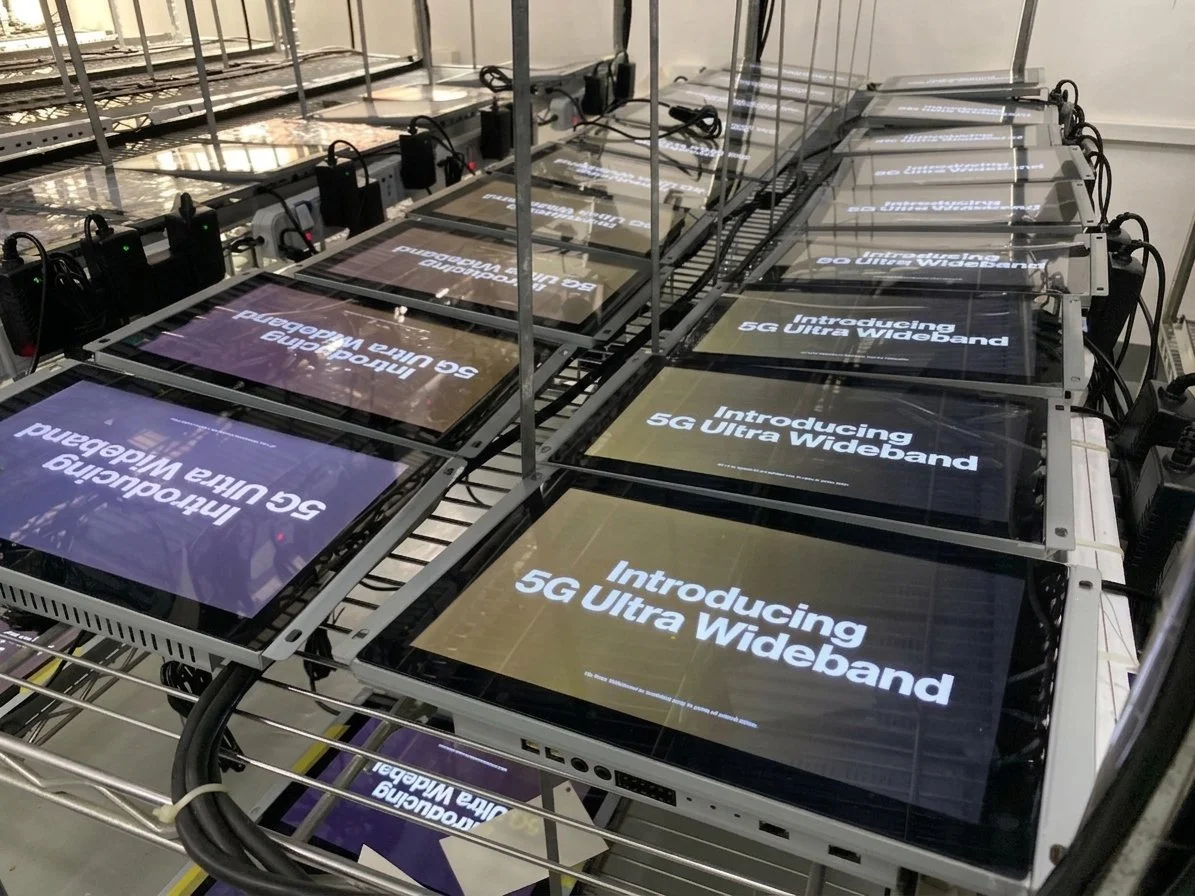
Use Case: Content Preloading in Action at Major University
College athletic programs are increasingly using digital signage to create a more dynamic and personalized locker room experience. By adding live displays to individual lockers, schools can showcase up-to-date graphics, player information, team messaging, and digital nameplates in a format that feels current, polished, and engaging for student-athletes.
A Major University in South Carolina offers a strong example of this approach in action. For the women’s sports program, Bluefin supplied 40-inch ultrawide screens to crown the lockers, paired with Carousel’s content management software. The result is a clean, high-quality display solution that gives the program a more modern visual environment while making it easier to manage and update content across each screen.
Once digital signage hits the ground, things need to move fast. Screens often occupy high-traffic areas, and reducing installation time and complexity means getting back to business with minimal interruption. With content preloaded, the University’s screens arrived ready to be installed and brought online. Carousel started automatically once the displays were powered on, with no files or flash drives to manage on site.
In this University’s case, content preloading helped ensure the locker room screens were ready to perform as soon as they reached their destination. With Carousel configured in advance, the displays could be powered on and brought into service immediately, without requiring staff to complete additional setup tasks at the point of installation. This streamlined approach simplified deployment while supporting a cleaner, more organized rollout.
By eliminating the need to manually load files on site or manage external media during installation, Bluefin’s preloading process helps reduce friction at a critical stage of the project. The result is a faster path to a finished display environment, allowing teams to focus less on setup logistics and more on delivering a polished, high-quality experience from day one.
How Does Digital Signage Content Preloading Work?
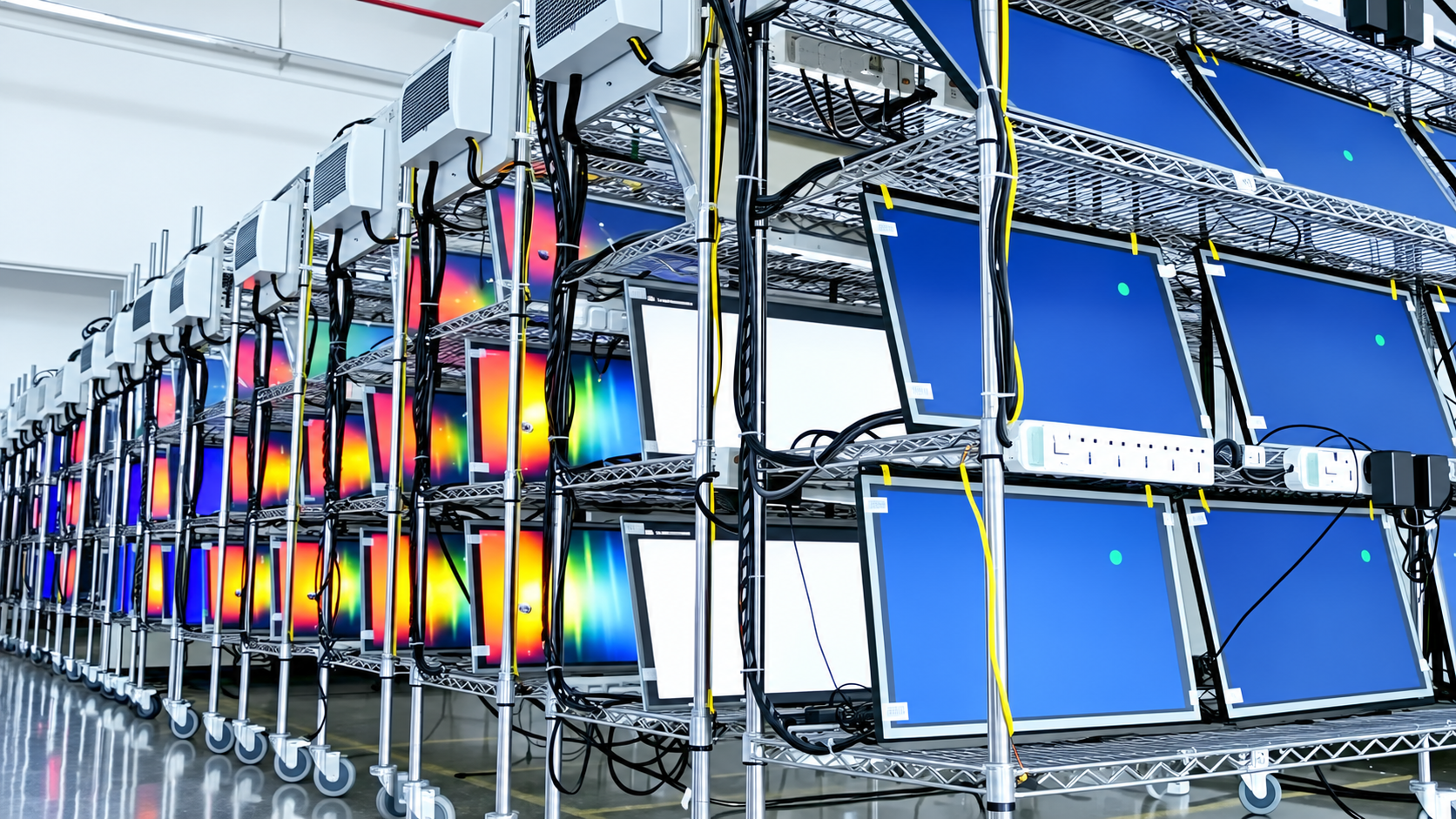
You can request CMS software preloading during production as part of a more streamlined digital signage deployment process. Bluefin’s product team works closely with your team to review installation and configuration files, confirm compatibility, and help ensure the application setup is ready before your screens move into production. This upfront coordination helps reduce delays later in the deployment cycle and supports a more consistent setup across every unit.
Once the file set is approved, Bluefin’s production team preloads your application on each display and incorporates your content into the quality assurance and burn-in process. This approach allows the software, content, and displays to be evaluated together during production, helping teams identify potential issues earlier and receive units that are better prepared for installation.
Depending on the CMS platform, registration may be included directly within the file set to further simplify deployment. In other cases, Bluefin screens can arrive ready to pair with your management platform, giving your team a more efficient path to activation once the displays reach their destination.
For BrightSign Built-In screens, Bluefin can also provide player serial numbers after the units have been scanned and prepared for shipment. With this information in advance, your team can begin provisioning before delivery, helping accelerate rollout and support a more organized installation process.
Get Started with Content and CMS Preloading
If you want a more efficient path to deployment, Bluefin’s CMS preloading service can help you bring screens online faster with a user-friendly, streamlined setup process. Contact Bluefin to discuss your CMS requirements and learn how content preloading can support a more reliable rollout for your next digital signage project.
Frequently Asked Questions About Content and CMS Preloading
-
Digital signage content preloading is the process of loading CMS software, configuration files, and content onto displays during production. The application and content can then be evaluated during quality assurance and burn-in before the displays ship.
-
CMS preloading can reduce on-site setup, eliminate the need to manually load files or manage flash drives during installation, and help displays come online faster. It also supports a more consistent configuration across multiple units.
-
CMS preloading should be discussed before the displays move into production. This gives Bluefin’s product team time to review installation and configuration files, confirm compatibility, and approve the application setup.
-
Yes. Bluefin can incorporate approved content and CMS software into its quality assurance and burn-in process. This allows the content, software, and display performance to be evaluated together during production.
-
Preloading capabilities depend on the CMS platform, installation files, registration requirements, and compatibility with the selected display configuration. Bluefin’s product team reviews these requirements with your team before production.
-
Depending on the CMS platform, registration may be included within the approved file set. In other cases, the displays can arrive ready to pair with the content management platform after delivery.