
Building Better Digital Signage: A Practical Framework for End Users and AV Integrators
A successful digital signage deployment is about much more than selecting a screen. It requires a connected strategy that brings together business objectives, content, software, hardware, infrastructure and long-term management. For end users, this means beginning with a clear understanding of what the experience should accomplish. For AV integrators, it means translating that vision into a dependable solution that can be installed, managed and scaled. The opportunity for ROI from digital signage is clear and when both sides follow a shared framework, better decisions can be made earlier—reducing complexity and creating a stronger result.
Digital Signage Deployments Take a Team
No one company can do it all – that is a fact. To pull off successful digital signage, it takes a team of partners and collaborators. Finding brands that are well connected within the Digital Signage Ecosystem is the best place to start building your team. Digital signage works best when strategy, experience, and technology are treated as one connected process. By following a shared framework, end users and AV integrators can move beyond installing screens and create reliable, scalable experiences designed to deliver measurable value.
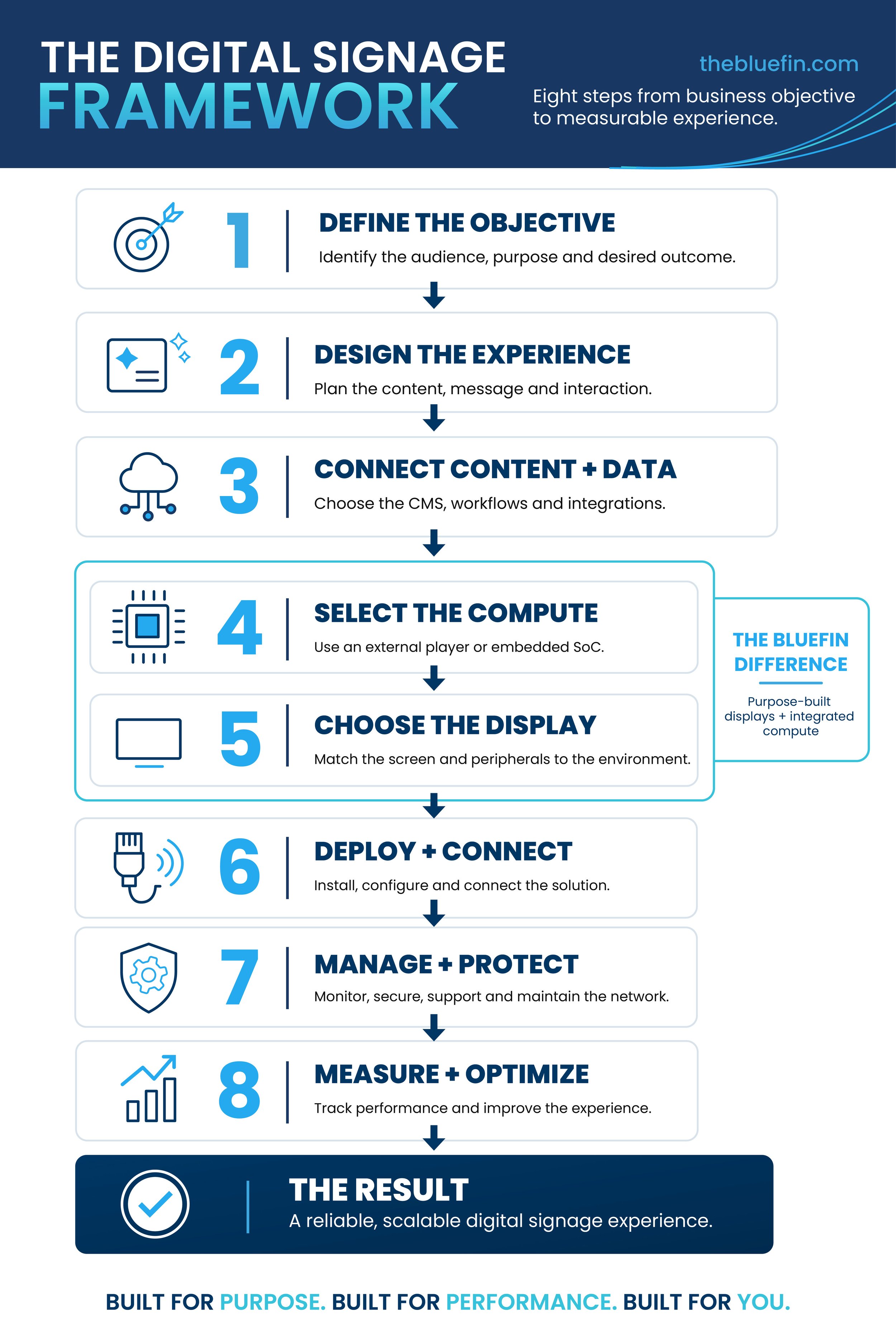
Follow these straight-forward steps to go from content strategy to installation with the right software, hardware and compute for the long term success of any digital signage project.
1. Define the objective
Every project should begin with purpose. Who is the audience, what do they need and what action should the experience encourage?
If the objective is improving wayfinding you will want to consider size, touch interactivity, and accessibility. When communicating critical information legibility and layout are key. Other considerations center on things like increasing engagement, supporting self-service or promoting products at the point of decision. Defining the desired outcome gives the entire project team a common target and helps prevent technology from driving the strategy.
2. Design the experience
Once the objective is clear, consider how people will interact with the experience.
Where will the display be located?
How long will viewers have to absorb the message?
Will they watch, touch, scan or respond?
Content, placement, accessibility and physical design all reflect the environment and audience. A screen in a hospital corridor serves a very different purpose from an interactive museum exhibit or a display integrated into a retail fixture. The content will express both the message and mission. Having a sense of style, layout and visual elements is where the digital signage journey really begins.
3. Connect content and data
The content management system determines how information will be created, approved, scheduled and updated. The right platform should support the organization’s workflows as well as any necessary integrations. Those integrations may include inventory systems, calendars, emergency alerts, business intelligence platforms or other real-time data sources. Planning for them early helps the end user and integrator understand the network, security and computing requirements before installation begins. It is also critical to ensure that your team can operate your chosen CMS or updates will quickly become cumbersome and the organization will fall behind in its updates and digital signage goals.
4. Select the compute platform
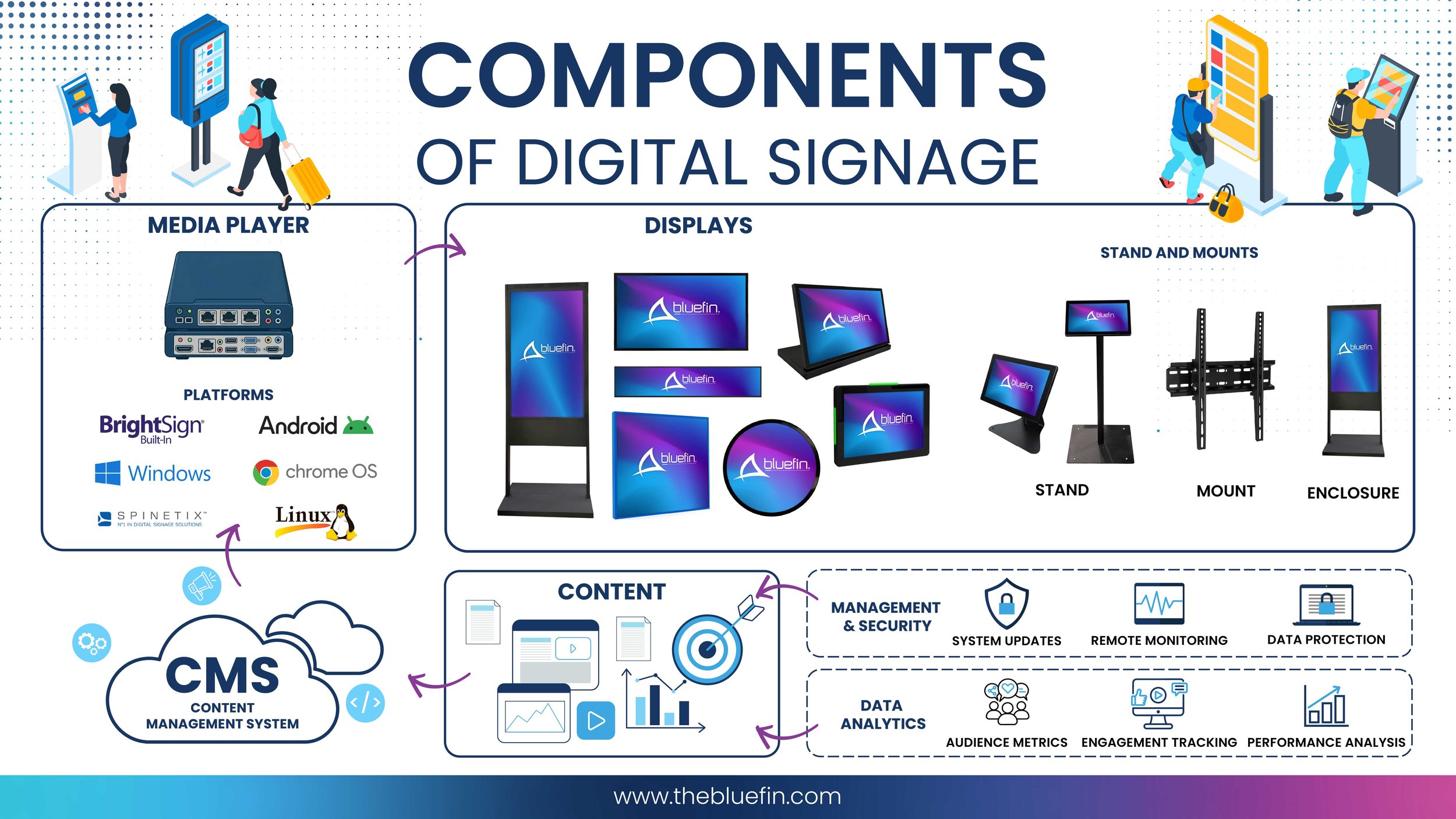
The content and software requirements help determine whether the project needs an external media player or an embedded system-on-chip. An external player may be appropriate for specialized processing or an established technical standard. An integrated operating system can reduce the number of components behind the screen, simplify mounting and eliminate additional power and video connections. The best choice depends on the application, CMS, performance requirements and long-term management plan.
5. Choose a purpose-built display
Commercial digital signage displays should be selected for the environment—not simply by screen size. Digital display form factors vary greatly and offer content creators the right screen for their strategy. Consumer displays are not equal to commercial grade displays, and while the initial cost savings can be tempting, their limited functionality results in replacement expenses for a higher total cost of ownership.
When choosing a commercial digital display; brightness, orientation, operating hours, touch capability, viewing distance, mounting, environmental conditions and required peripherals all matter. Other considerations like specialty sizes and form factors allow the display to fit naturally into architecture, fixtures or exhibits rather than forcing the experience around a standard television style.
PoE: Also when considering location, power over ethernet (PoE) can open up additional possibilities so make sure you know what is available.
This is where Bluefin brings display and compute together. Purpose-built, all-in-one displays with integrated operating-system options can reduce components and installation complexity while giving integrators and end users greater flexibility to design around the intended experience.
6. Deploy and connect the solution
Successful deployment requires coordination across power, networking, mounting, content configuration and physical installation. Decisions made earlier in the process directly affect what happens on-site. Clear documentation, testing and communication among the end user, integrator, software provider and hardware partners can prevent last-minute changes and create a smoother commissioning process.
7. Manage and protect the network
Remember, installation is not the end of the project. Digital signage is a connected technology network that requires monitoring, security, content governance, maintenance and lifecycle planning. Responsibilities should be established before launch. Teams should know who manages content, responds to device alerts, installs updates and supports hardware in the field. There is increasingly more options available for monitoring and security to ensure devices are functioning, checking power usage, and reducing black screen down time.
8. Measure and optimize
The final step is determining whether the signage is accomplishing its original objective. Useful measurements might include system uptime, content engagement, reduced wait times, fewer directional questions, increased conversions or greater operational efficiency. Data analytics partners can also help you determine the efficacy of the signage to make sure the right messages are connecting, and you are reaching your target audience. Those insights can then be used to improve content, adjust placement and guide future deployments.
Digital Signage Deployments and Your Team
Like we said, no one company can do it all – that is a fact. Whether you’re an end-user or AV integrator you don’t have to know the whole plan from start to finish. Just know where you want to go and utilize well connected experts to help get you there. Start with what the content is intended to do and the right software, hardware and compute will become evident.