
What Should Stadium Teams Consider When Planning a Technology Upgrade?
By Bluefin International | Updated August 2026
A complete stadium technology stack connects the fan experience, content strategy, display hardware, media players, software, networking and venue operations. Planning should begin with what fans and staff need at each touchpoint—not with a particular screen or platform.
Why Do Stadiums Invest in Technology Upgrades?
One of the most common reasons is end of life. When aging infrastructure and technology can no longer meet fan expectations, support efficient operations or create opportunities for growth, it may be time for a significant change.
Not every project requires a complete rebuild, however. Many organizations approach modernization as a series of upgrades to the venue’s design, décor, digital technology and comfort. These improvements can enhance the fan experience while supporting ticket sales, advertising, sponsorships, premium services and other revenue-generating programs.
For sports franchises competing to become the must-have ticket—and a valuable advertising outlet—the digital experience is increasingly important.
What Is a Stadium Technology Stack?
A stadium technology stack is the combination of systems used to deliver, manage and support digital experiences throughout a venue. It may include:
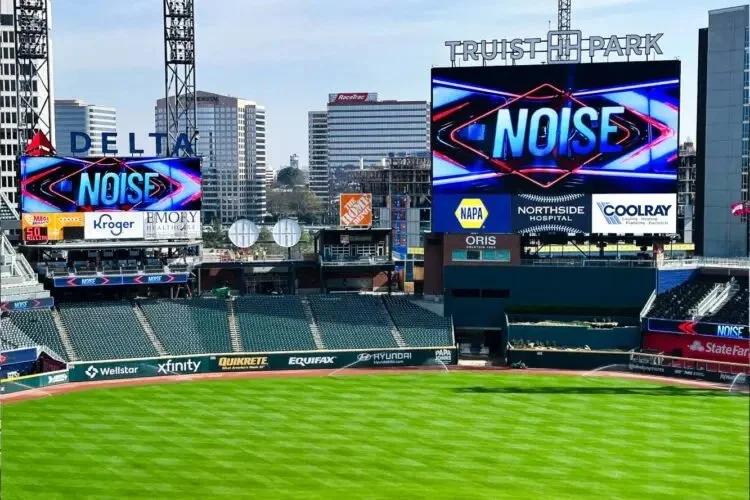
LED video walls and ribbon boards
Digital signage and IPTV
Indoor and outdoor displays
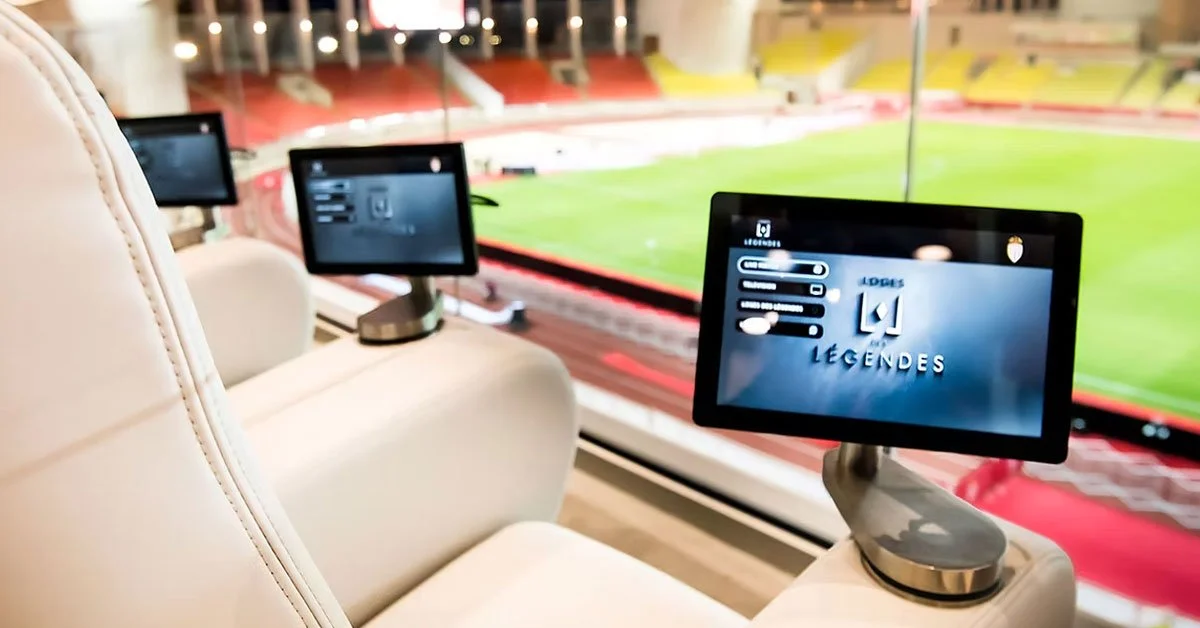
In-seat interactive screens
Menu boards and concession displays
Wayfinding and venue directories
Media players and integrated systems-on-chip
Content management software
Data sources and third-party applications
Network, power and connectivity infrastructure
Remote monitoring and device management
Each element serves a different purpose, but the systems must work together to create a consistent experience.
How Does Digital Signage Support the Fan Experience?
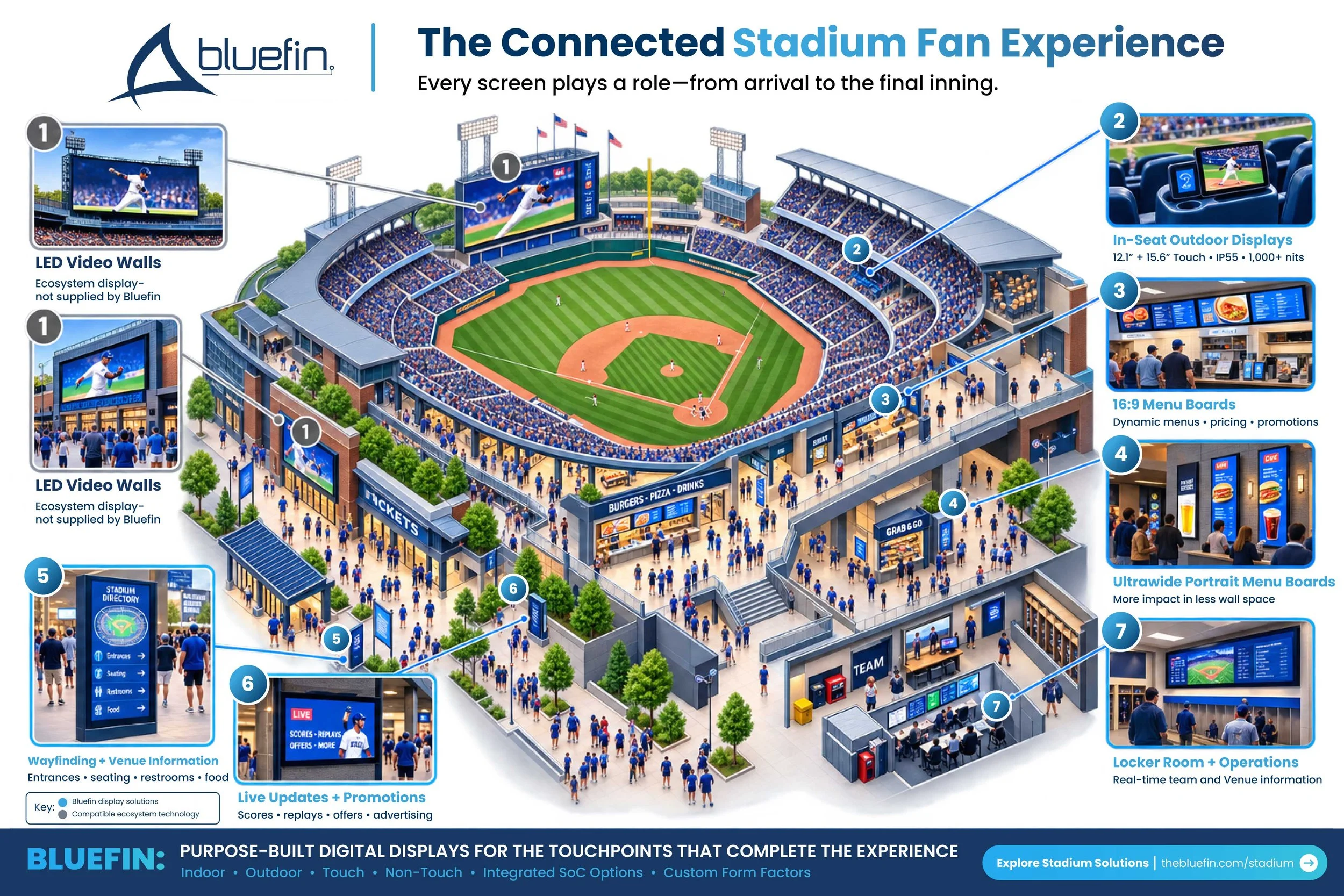
Digital signage connects many of the moments that shape a stadium visit. A fan may use a display to locate an entrance, find a seat, check a concession menu, watch a replay from the concourse or interact with content from a premium seating area.
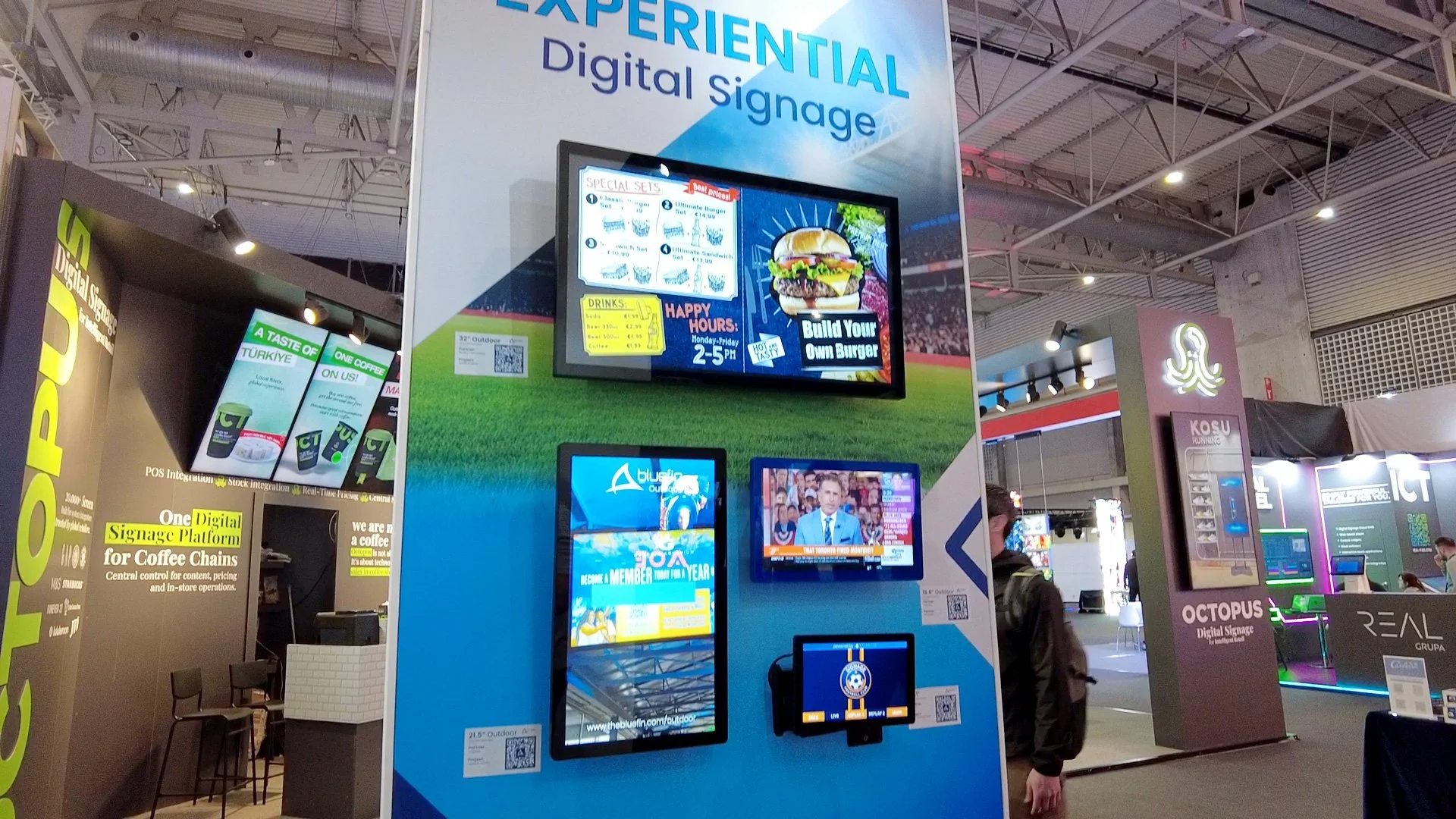
Large LED installations create high-impact shared moments, while smaller displays support more personal and task-specific interactions. These may include 16:9 menu boards, ultrawide displays in space-constrained concession areas, outdoor screens near seating and touch displays for interactive services.
The main scoreboard may attract the most attention, but it represents only one part of the digital journey. Menu boards, wayfinding displays and in-seat screens should be considered early in the project—not added after the primary broadcast and LED systems have already been determined.
What Should Teams Consider Before Selecting Displays?
1.Start with the intended experience
Define what fans, employees and venue partners need at each location. The display format, size and functionality should follow the use case. A screen used for outdoor premium seating has different requirements from one installed above a concession counter. In the same way, a wayfinding display may need touch interactivity, while an advertising screen may only need to present scheduled content.
2.Evaluate the installation environment
Display specifications should reflect the conditions in which the screen will operate. Important factors include:
Indoor or outdoor placement
Ambient light and required brightness
Exposure to weather and changing temperatures
Touch or non-touch operation
Viewing distance and orientation
Available wall or fixture space
Mounting and service access
Power and network availability
Select outdoor stadium displays according to the environmental requirements of each location rather than applying one specification across the entire venue.
3.Plan for interoperability
Displays, media players, content management platforms, IPTV systems, data feeds and network infrastructure must be able to exchange content reliably.
Integrated media-player options can reduce the number of separate components at each endpoint. Support for platforms such as BrightSign, Android, Windows, and Linux can also allow teams to select hardware that fits their existing technology environment.
For some compact installations, Power over Ethernet options can simplify deployment by carrying power and connectivity through one cable. This may be particularly useful where traditional electrical access is limited, but power requirements and network capacity should be evaluated during planning.

4.Match the display format to the space
Standard 16:9 screens work well for many menu-board, informational and promotional applications. However, not every location is designed around a conventional display.
Ultrawide screens can use narrow architectural spaces more effectively and may be installed in landscape or portrait orientation. They can support concession menus, locker-room information, sponsor content and other applications where a traditional screen may not fit.
5.Develop the content strategy early
Installing screens does not automatically create a useful digital experience. Teams should determine:
What content will appear on each screen
Which department owns and approves that content
How frequently information must be updated
How live data and emergency messaging will be integrated
How sponsors and advertising campaigns will be scheduled
How content will adapt to different screen sizes and orientations
How performance will be measured
Advertising and sponsorship opportunities depend on having both the right display locations and a practical plan for managing them.
6.Consider long-term operation
A stadium network may include hundreds of digital endpoints. The technology stack should be manageable long after opening day.
Centralized content control, remote monitoring, accessible service points and clearly defined responsibilities can help teams maintain the network efficiently. Commercial-grade displays designed for extended operation may also be more appropriate than consumer screens in high-use environments.
How Early Should Stadium Technology Planning Begin?
Although the off-season often provides the installation window, preparation should begin months—and sometimes years—in advance.
Consultants, architects, integrators, IT teams, software providers and hardware manufacturers should be involved early enough to coordinate infrastructure, content, mounting, power, networking and service requirements. This is especially important when the installation must be completed and tested within a short off-season.
For phased projects, teams should still develop the larger system architecture before beginning the first stage. This helps ensure that early upgrades can connect with future deployments rather than becoming isolated systems.
Is There One Provider for the Entire Stadium Technology Stack?
Usually, no. Modern venues require expertise across architecture, networking, broadcast systems, LED technology, software, content, integration and commercial displays. A successful project depends less on finding a single provider and more on building a coordinated group of partners. Each participant should understand the broader strategy, the systems with which their technology must connect and the experience the venue is trying to create.
The guiding principle is straightforward: start with strategy and let the technology support it—not the other way around.
When every digital touchpoint is planned around the fan and the environment, the technology becomes less noticeable. Ordering food feels easier. Information is where fans expect to find it. Content remains relevant throughout the visit. The experience simply feels right—and gives fans another reason to return.
Frequently Asked Questions:
What should be included in a stadium technology stack?
A stadium technology stack may include LED walls, ribbon boards, digital signage, IPTV, menu boards, wayfinding displays, interactive screens, media players, content management software, networking, power infrastructure and remote device management.
What is the difference between an LED wall and a digital signage display?
LED walls are generally used for large-format, high-impact viewing applications such as scoreboards, exterior displays and ribbon boards. Digital signage displays typically support more focused applications, including menus, wayfinding, promotions, operational information and in-seat experiences.
Why use outdoor-rated displays in a stadium?
Outdoor-rated displays are designed for conditions that indoor screens may not be able to withstand. Depending on the installation, teams should consider brightness, moisture protection, temperature range and visibility in direct sunlight.
Can stadium technology be upgraded in phases?
Yes. Menu boards, wayfinding, outdoor displays and interactive touchpoints can be deployed in stages. The overall system architecture should be established first so that each phase can connect with the venue’s content, network and management platforms.
How can digital signage generate stadium revenue?
Digital signage can support advertising, sponsorship campaigns, limited-time concession promotions, premium services and branded interactive experiences. Revenue opportunities should be considered during the content and placement strategy—not after installation.